MapMyContacts for iPhone
See everyone you know, on a map.
MapMyContacts reads your contacts and plots everyone with an address on a full-screen map. See who you know in any city, and catch more chances to say hello.
 Gold
Gold
 Ivory
Ivory
 Ink
Ink
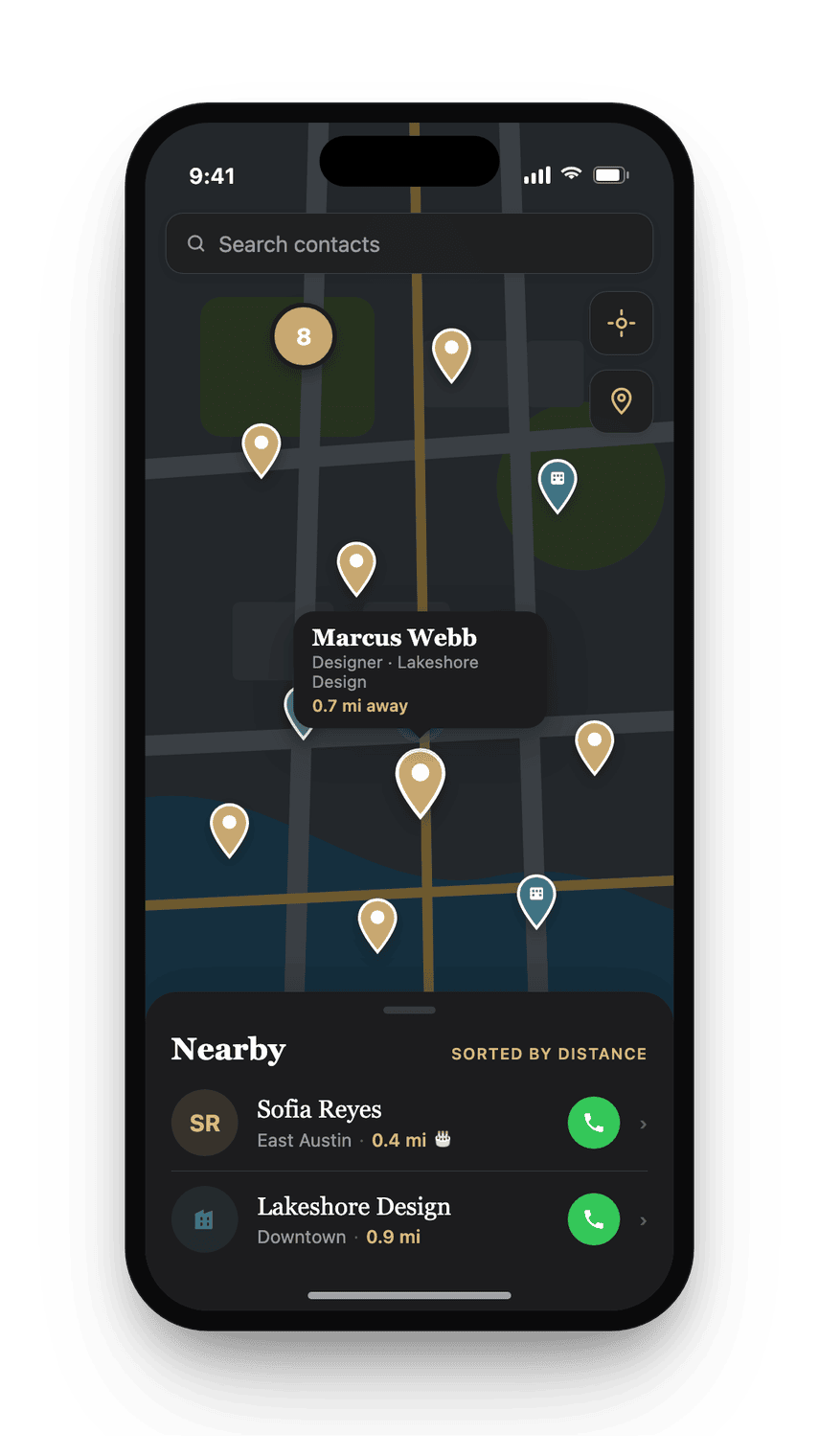
 Midnight
A closer look
See it doing the job.
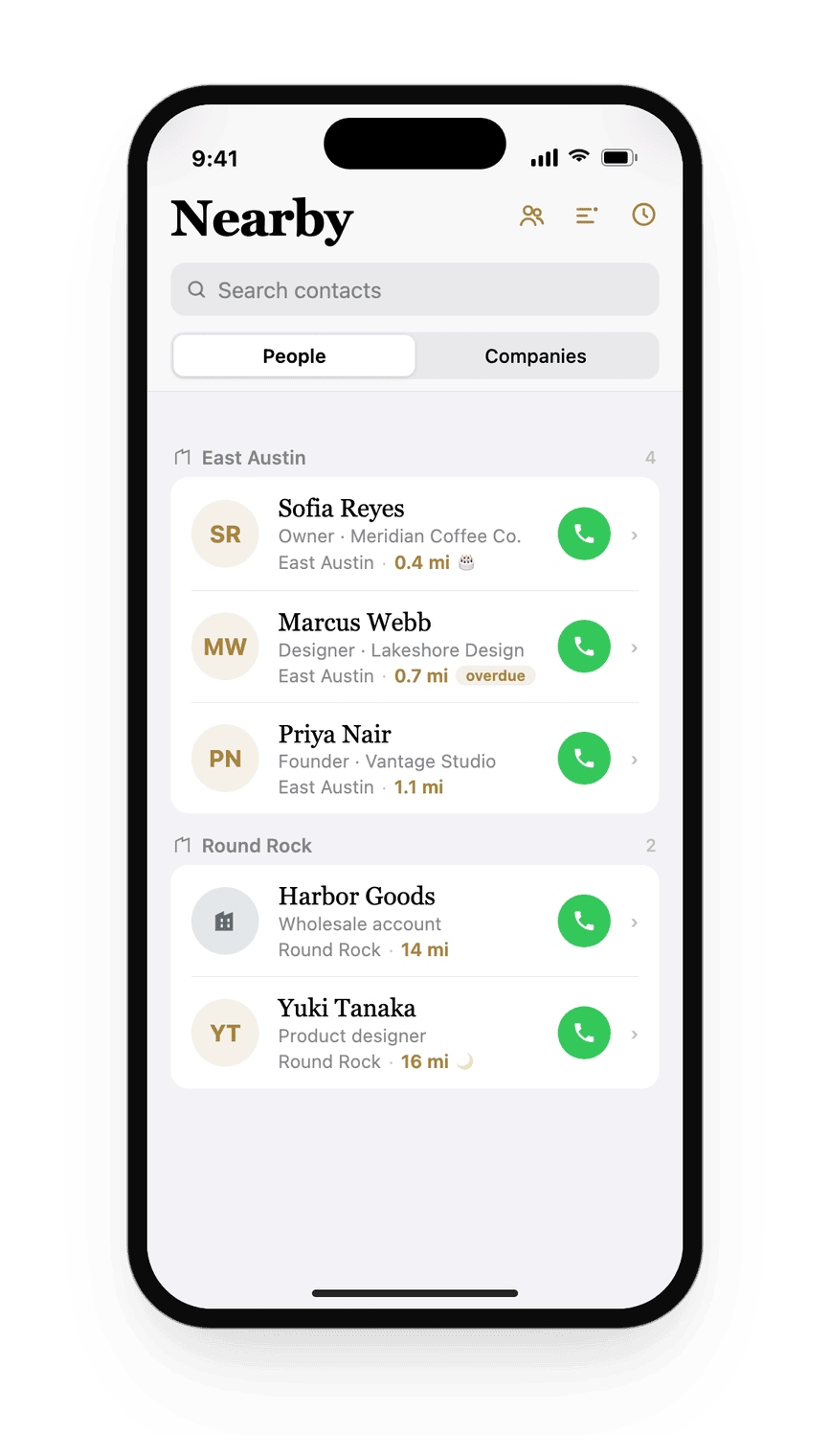
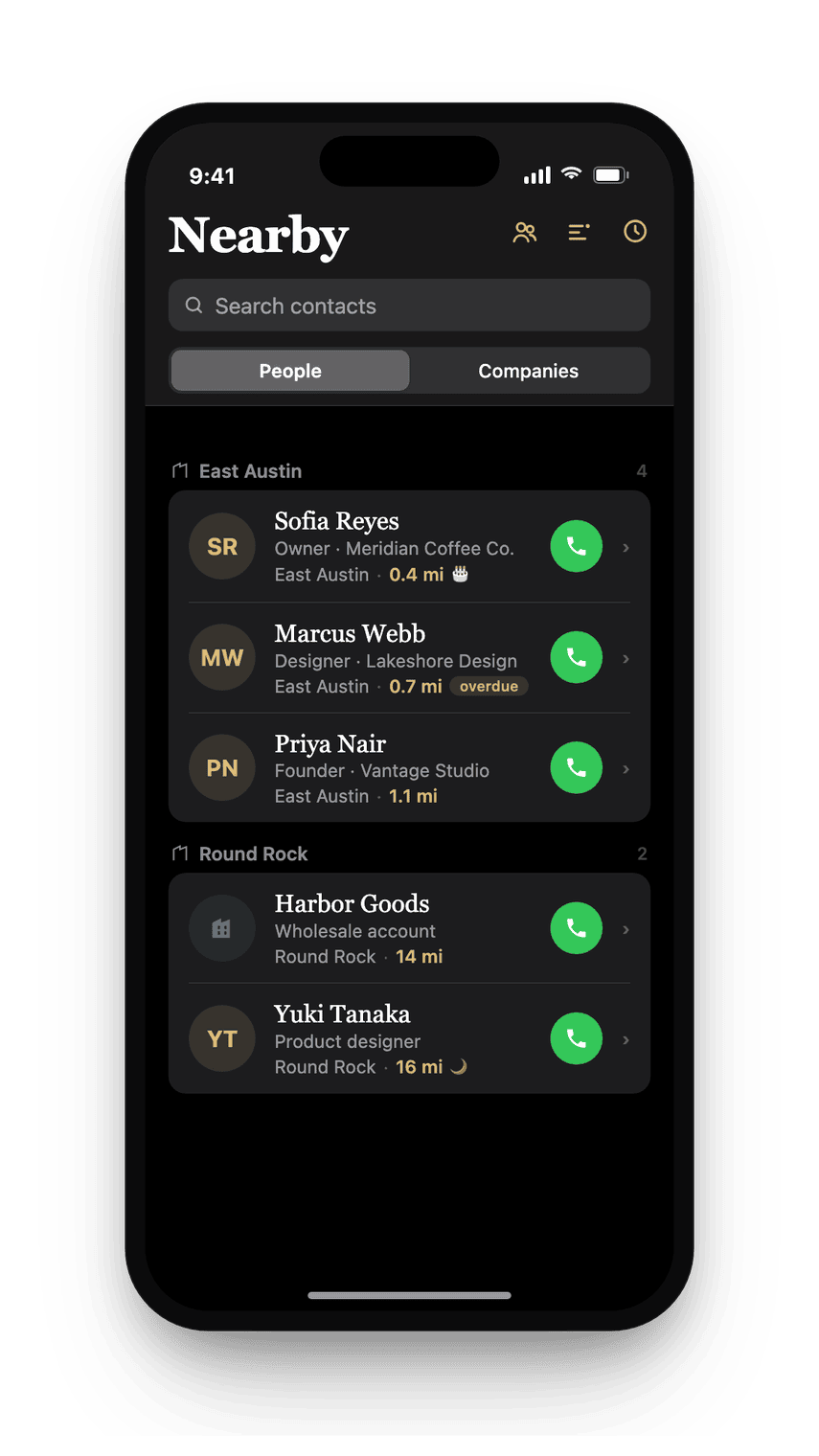
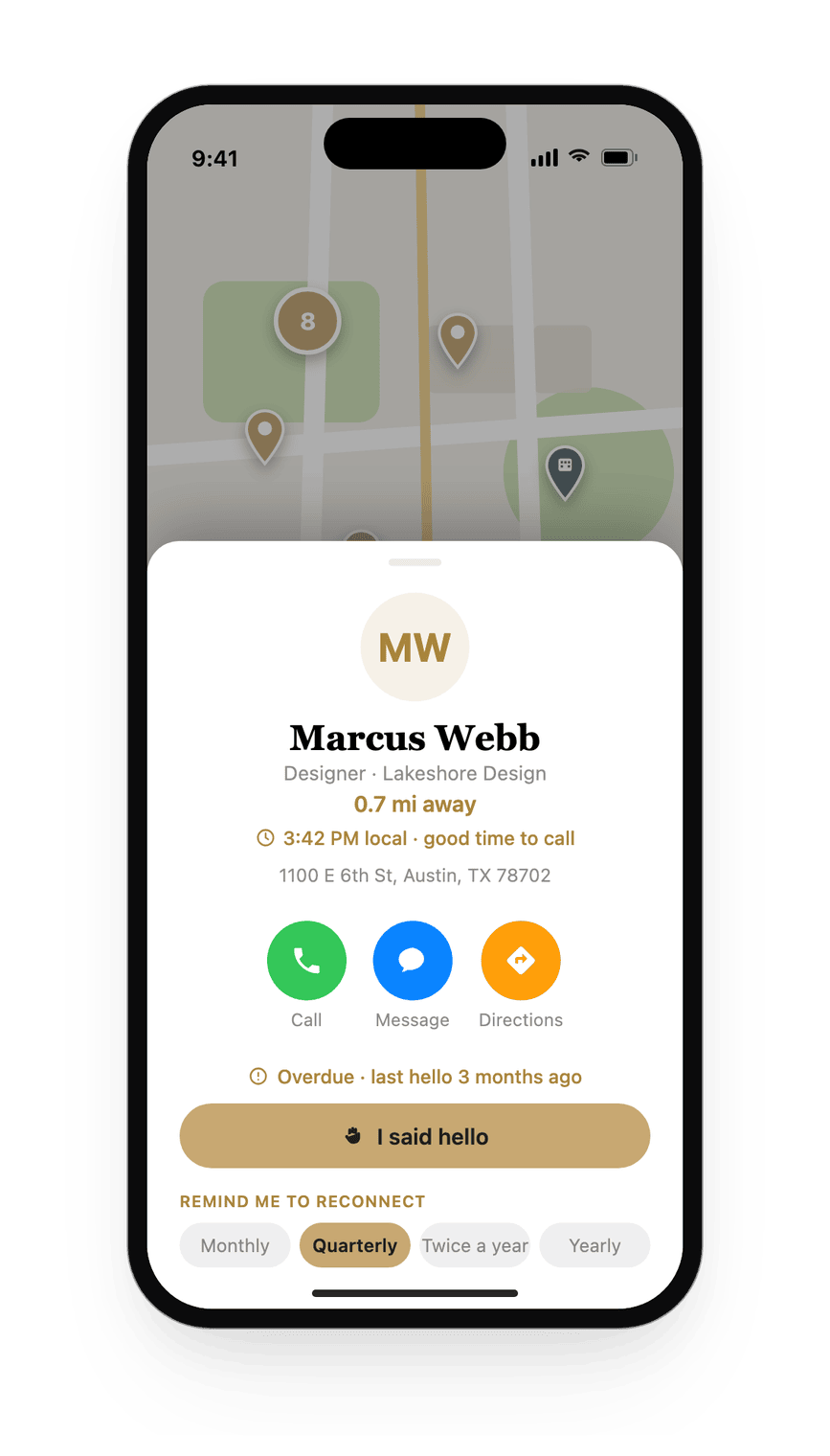
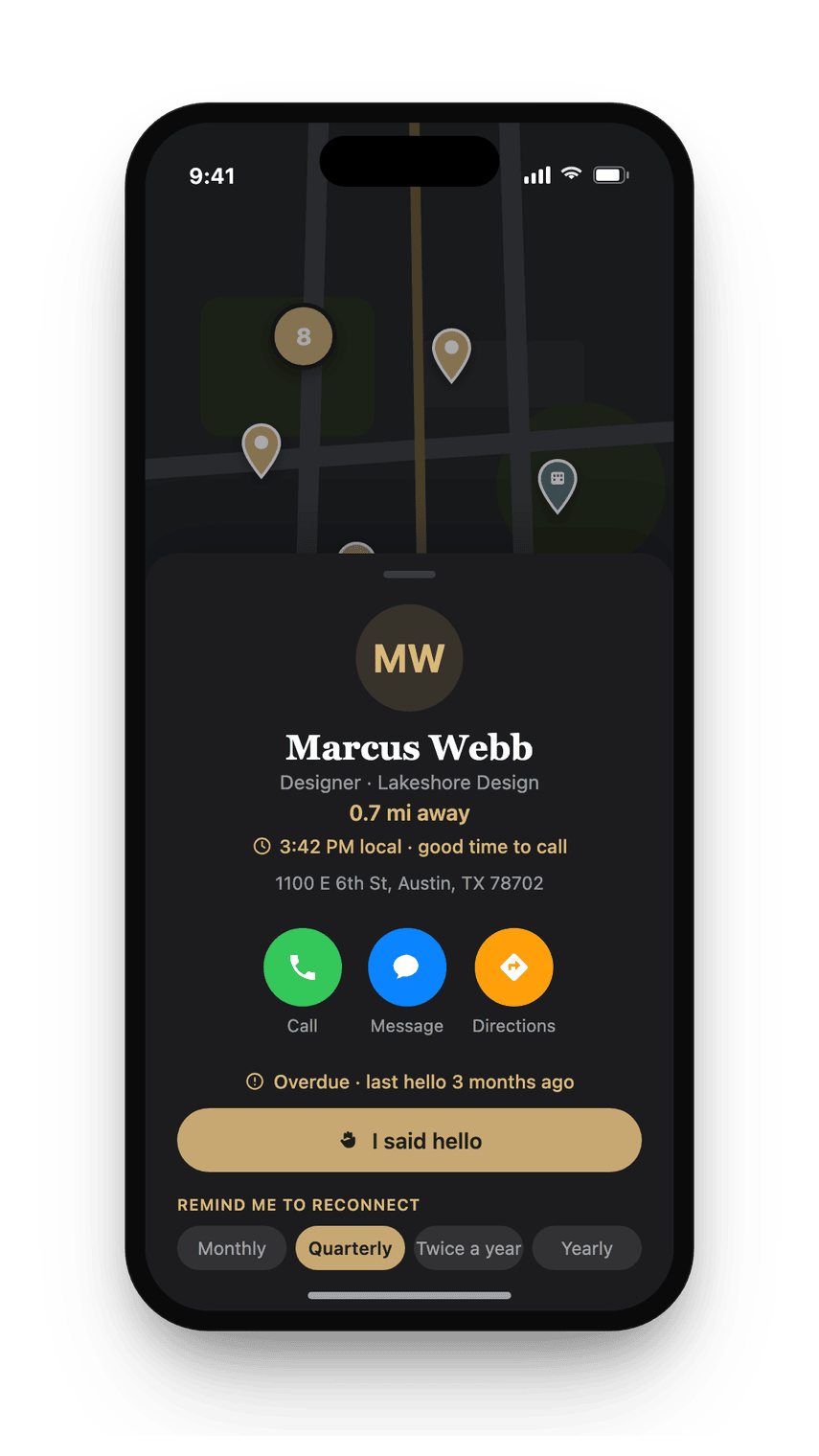
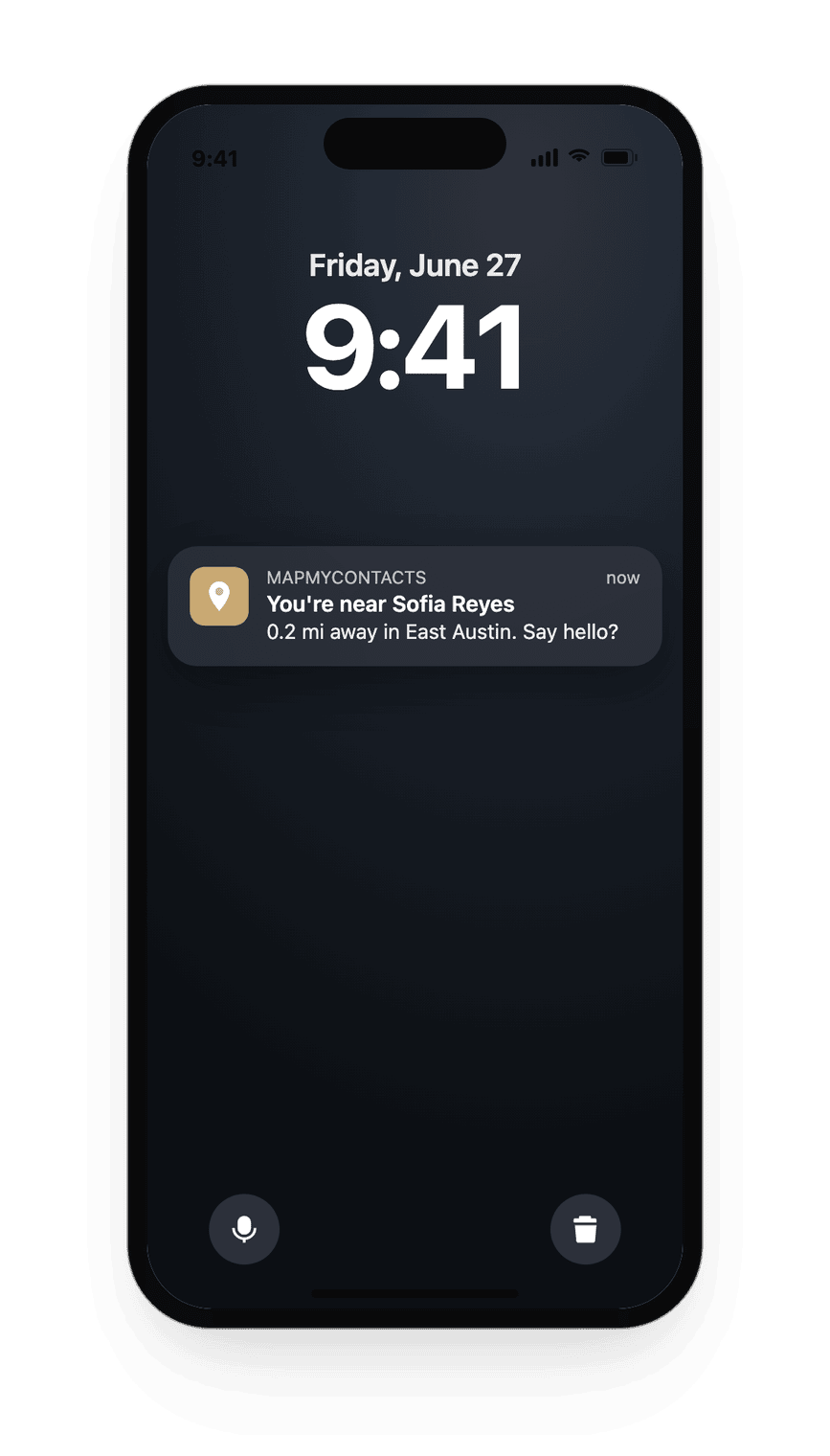
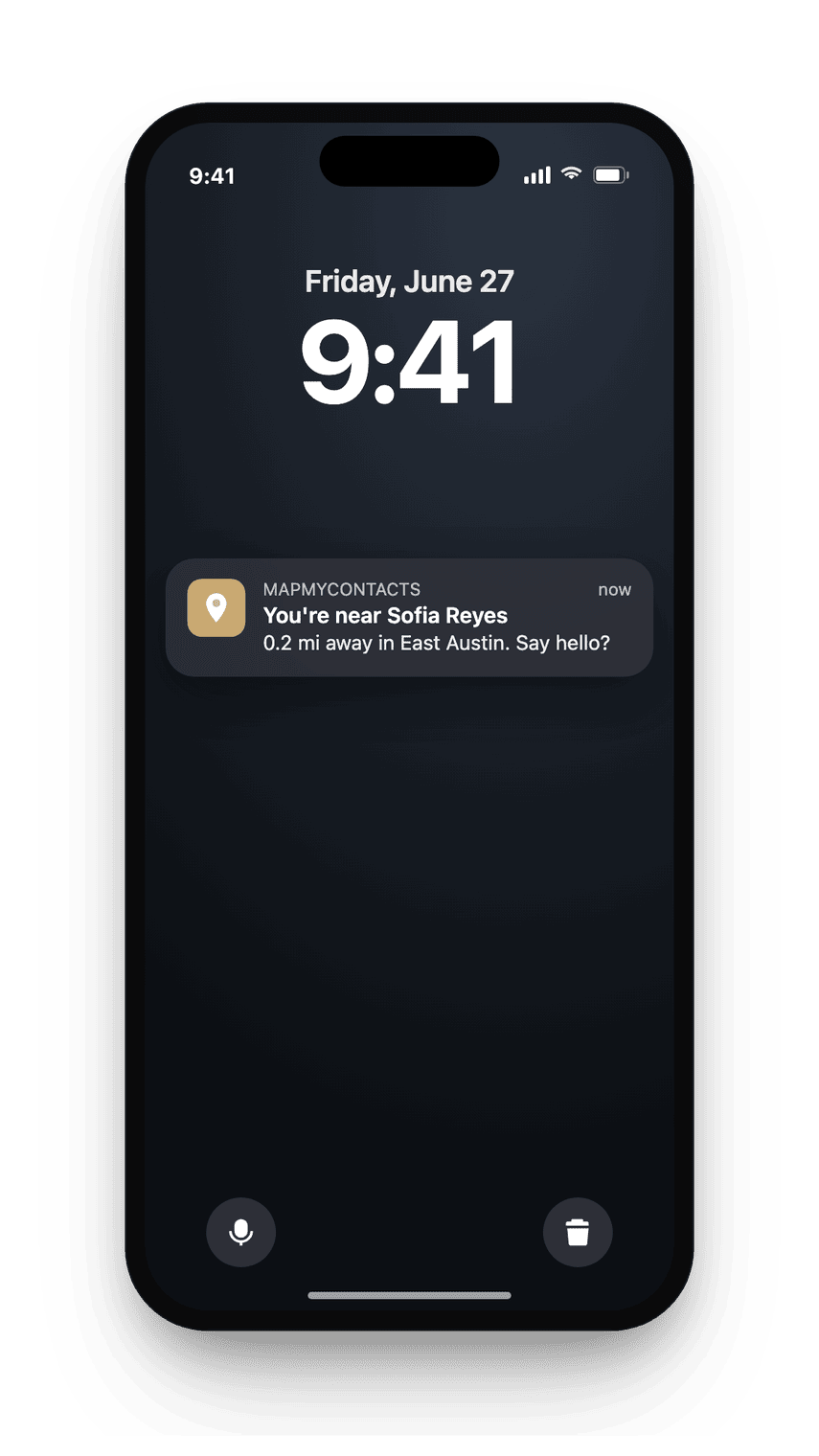
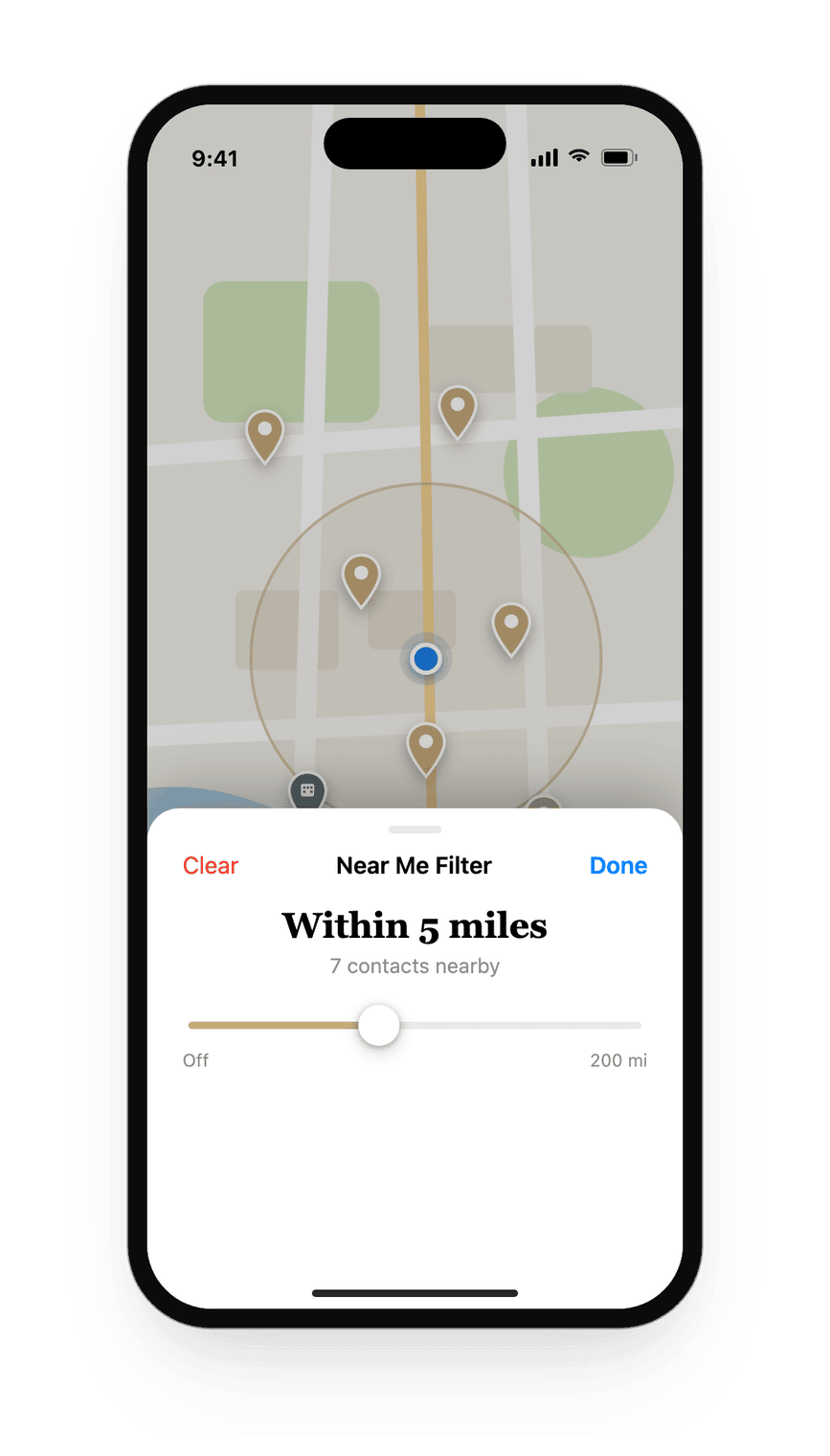
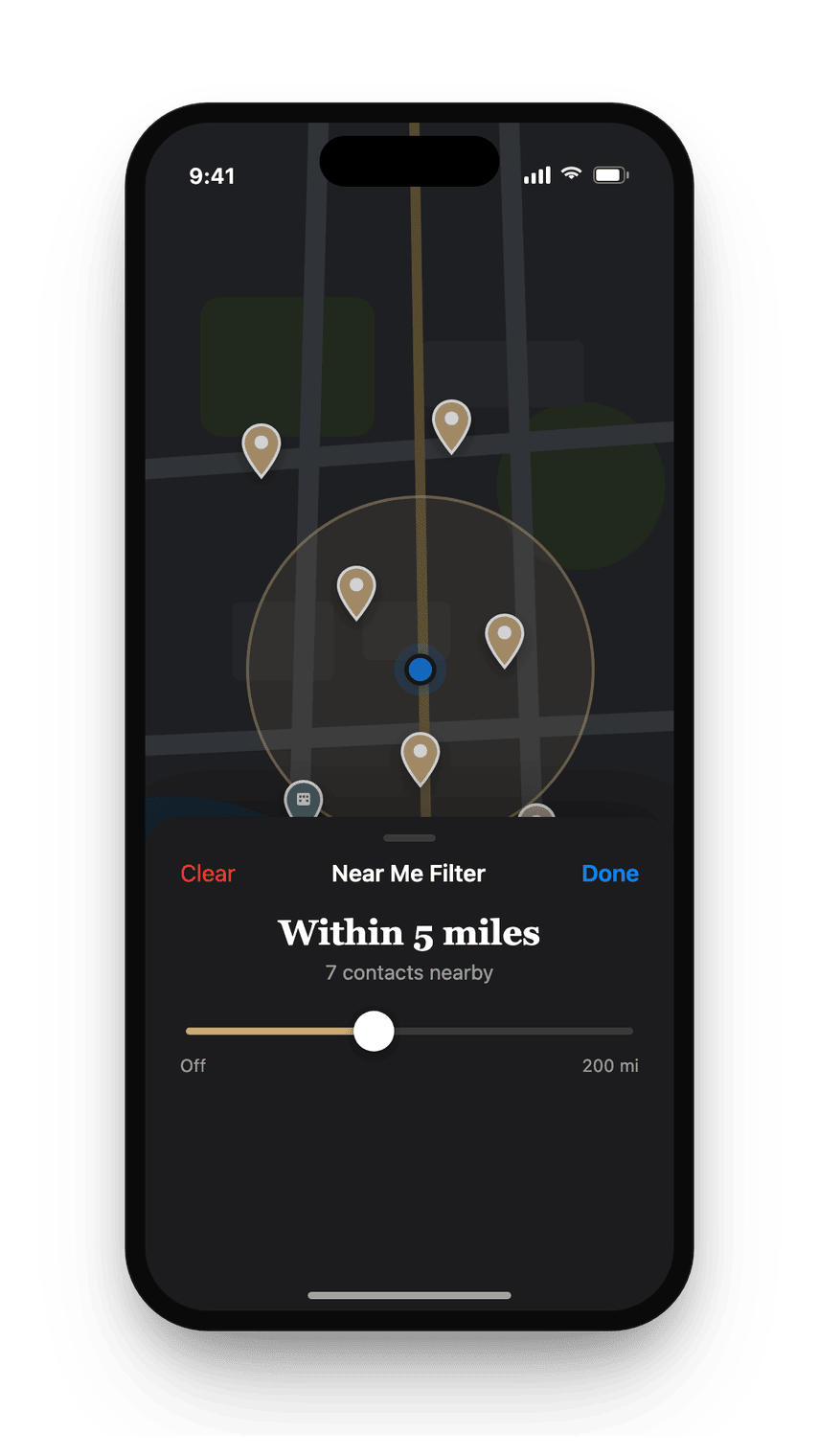
What it does
Everyone you know, mapped in one view.
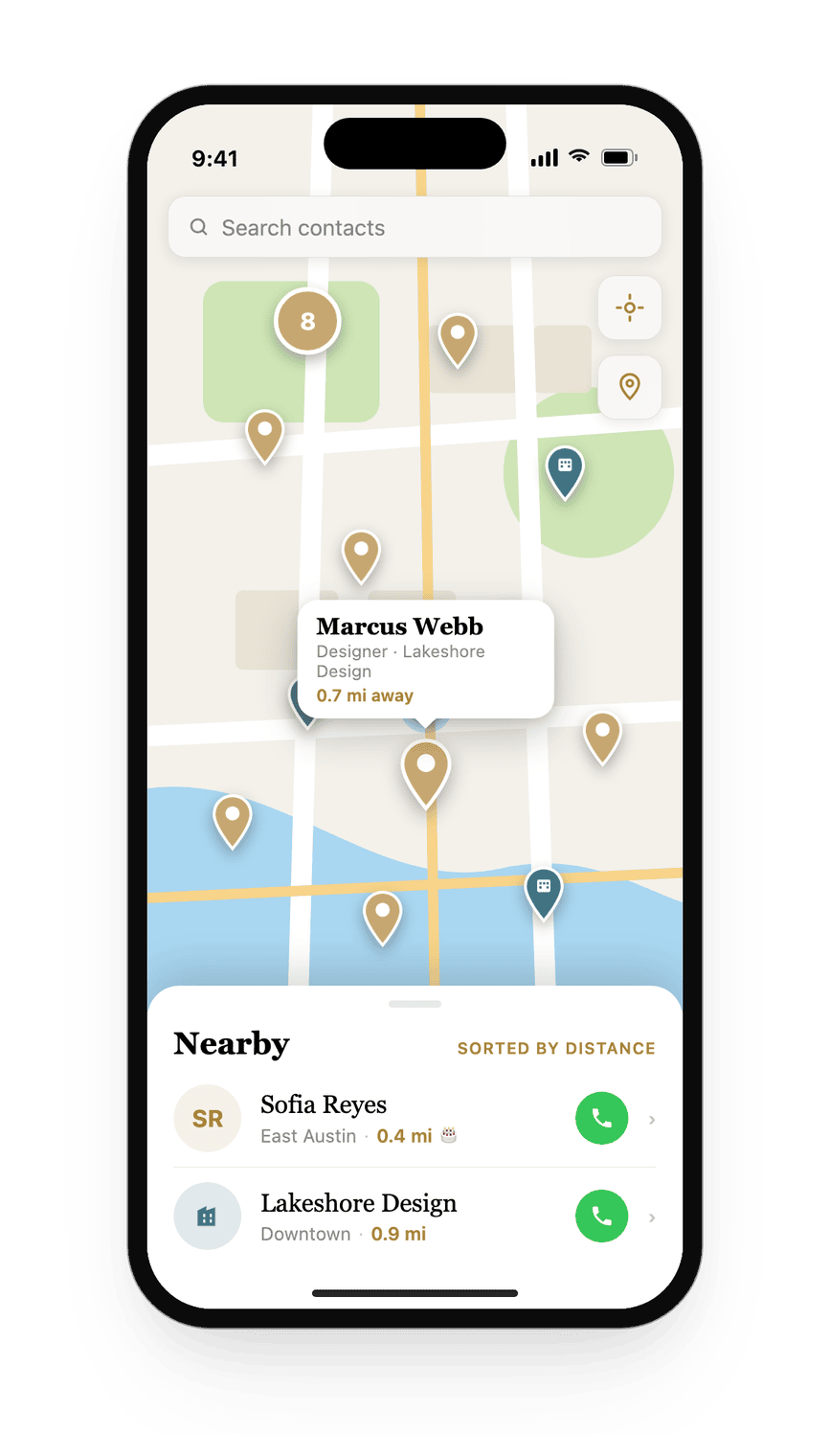
Full-screen map
Everyone you know with an address, plotted on a map you can explore by city, neighborhood, or region.
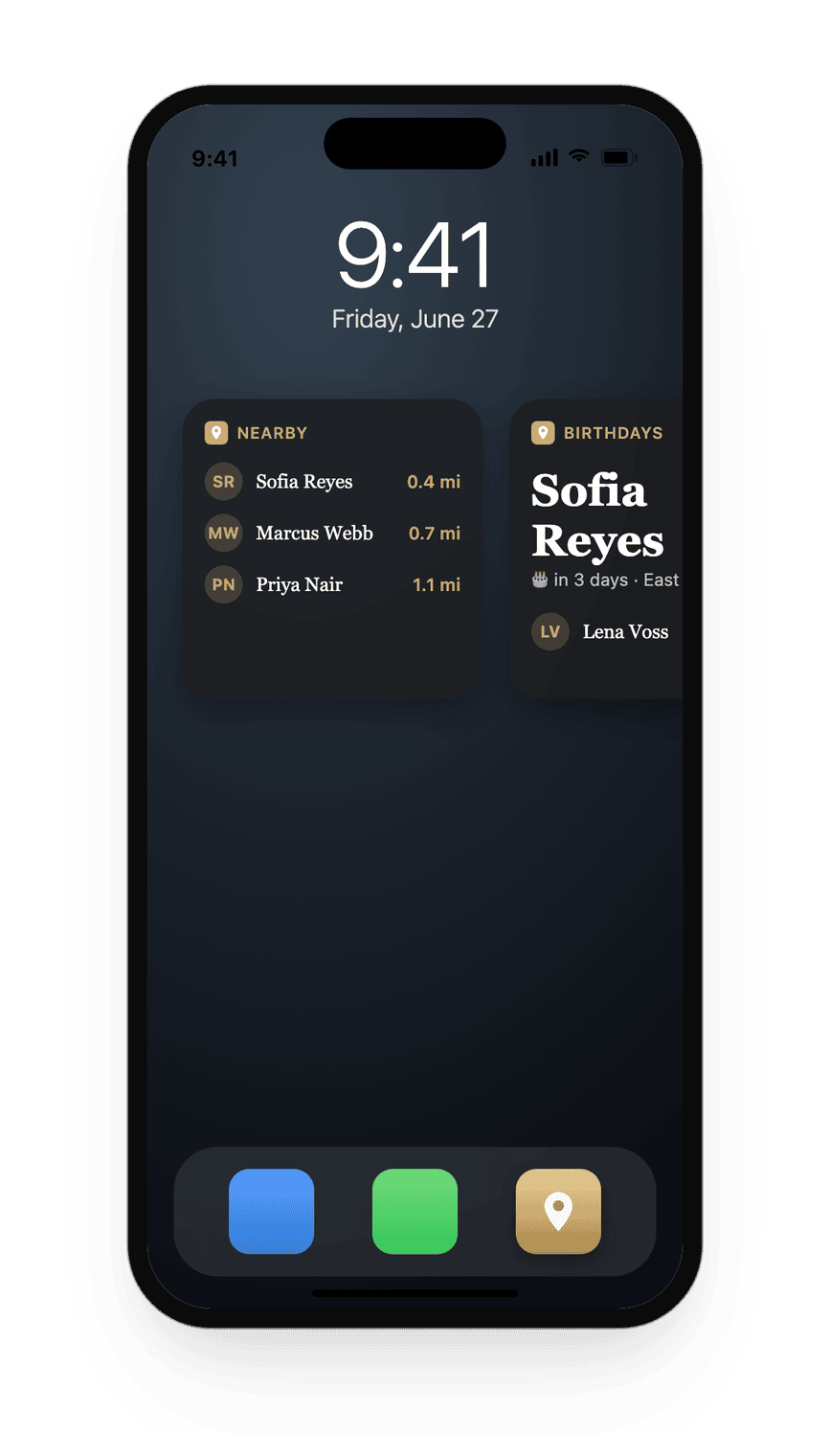
Nearby, sorted by distance
A live list of contacts close to you right now. Tap any name to call, message, or get directions.
Proximity nudges
One notification when you are near someone you know, so you get a better chance to say hello.
Birthdays on the map
Upcoming birthdays shown in context. See who is celebrating soon, wherever they are in the world.
Local time per contact
Each pin shows the local time. Know before you call whether someone is likely awake.
Widgets and Siri
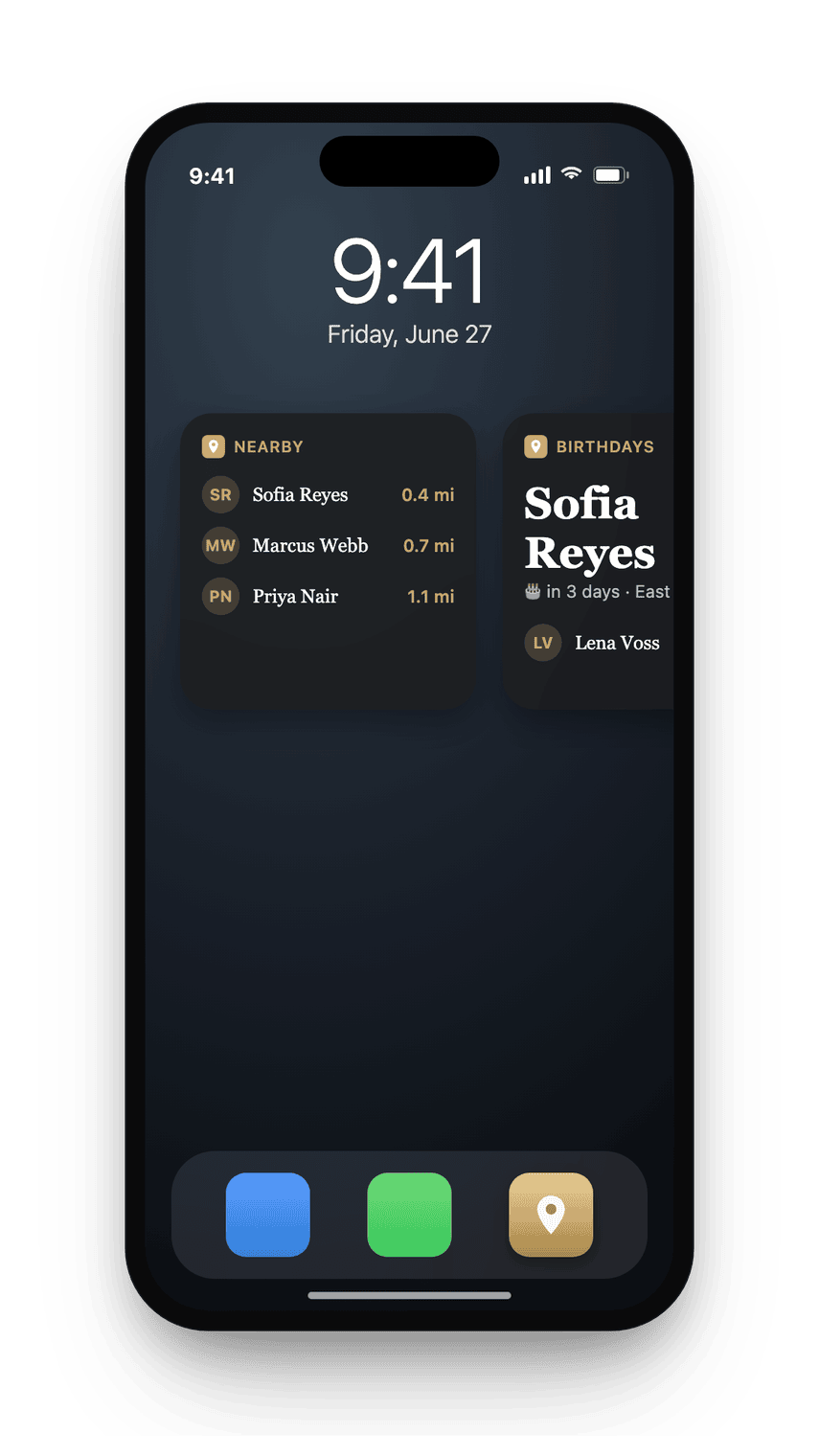
Home Screen and Lock Screen widgets show who is nearby at a glance. Ask Siri who you know near any location.
One tap to call, message, or get directions
Open any pin for a name, distance, and a single tap to call, message, or get directions. No digging through the address book.
Keep in touch, on your schedule
Pick a rhythm for anyone, weekly to yearly, or a looser "Soon," and tap "I said hello" when you do. The app flags who you are overdue to see, and the nearby nudge knows it.
Trips: who's near where you're going
Add a place and your dates and see the people you already know near your destination before you travel, most-overdue first, with one reminder the morning before you leave. Add a trip by hand, or pull one from your calendar with its own permission.
Where and when you met
Give any contact an optional memory anchor: the place and moment you met. It rides along on the map and in their card, so the story behind a name never gets lost.
Backup and export
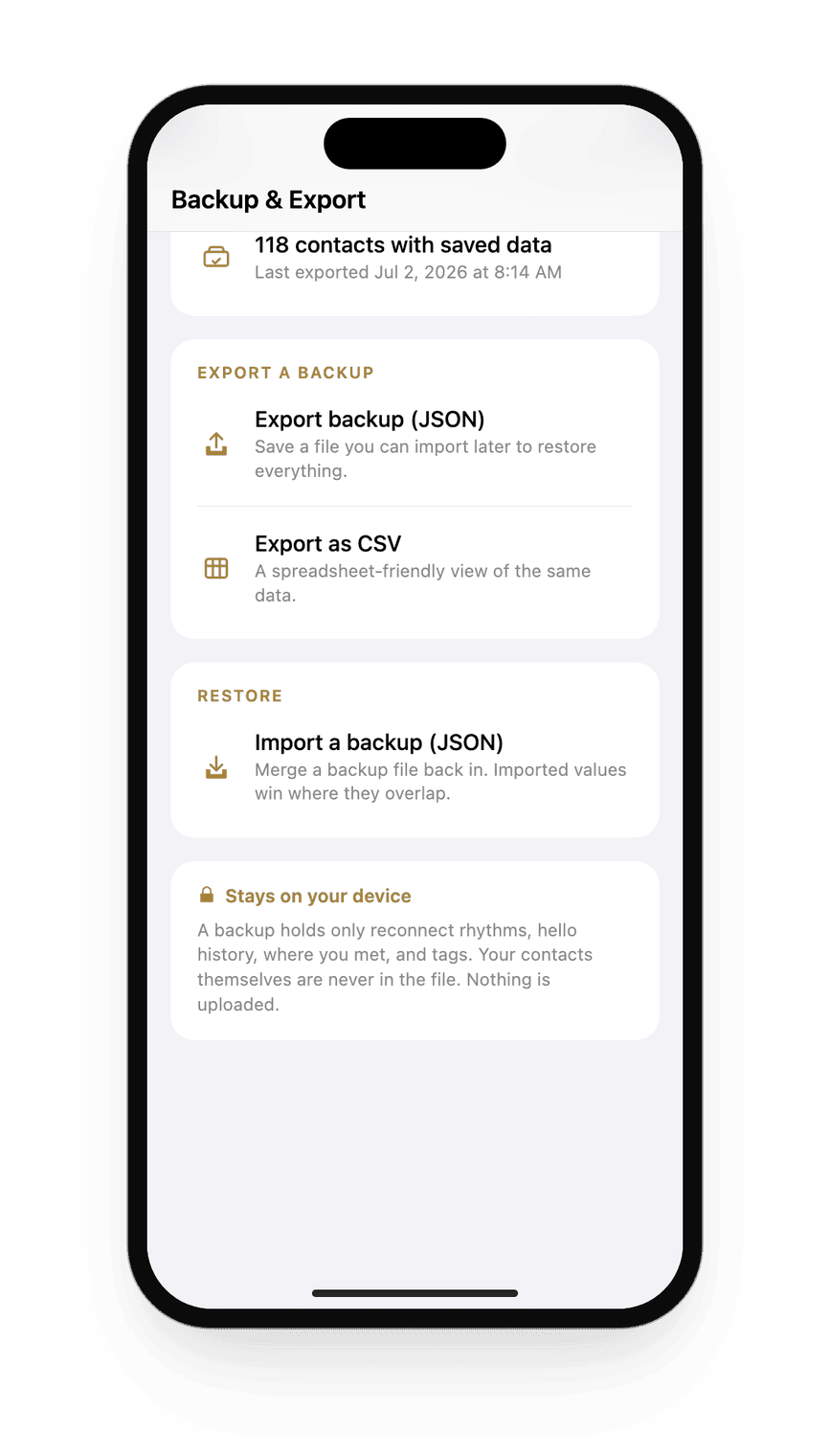
Your reconnect rhythms, hello history, met-at notes, and tags export to a file: JavaScript Object Notation (JSON) to restore, comma-separated values (CSV) to open in a spreadsheet, and back. It saves straight to a file on your iPhone, and a backup never contains the contacts themselves.
Tags, labels, and saved filters
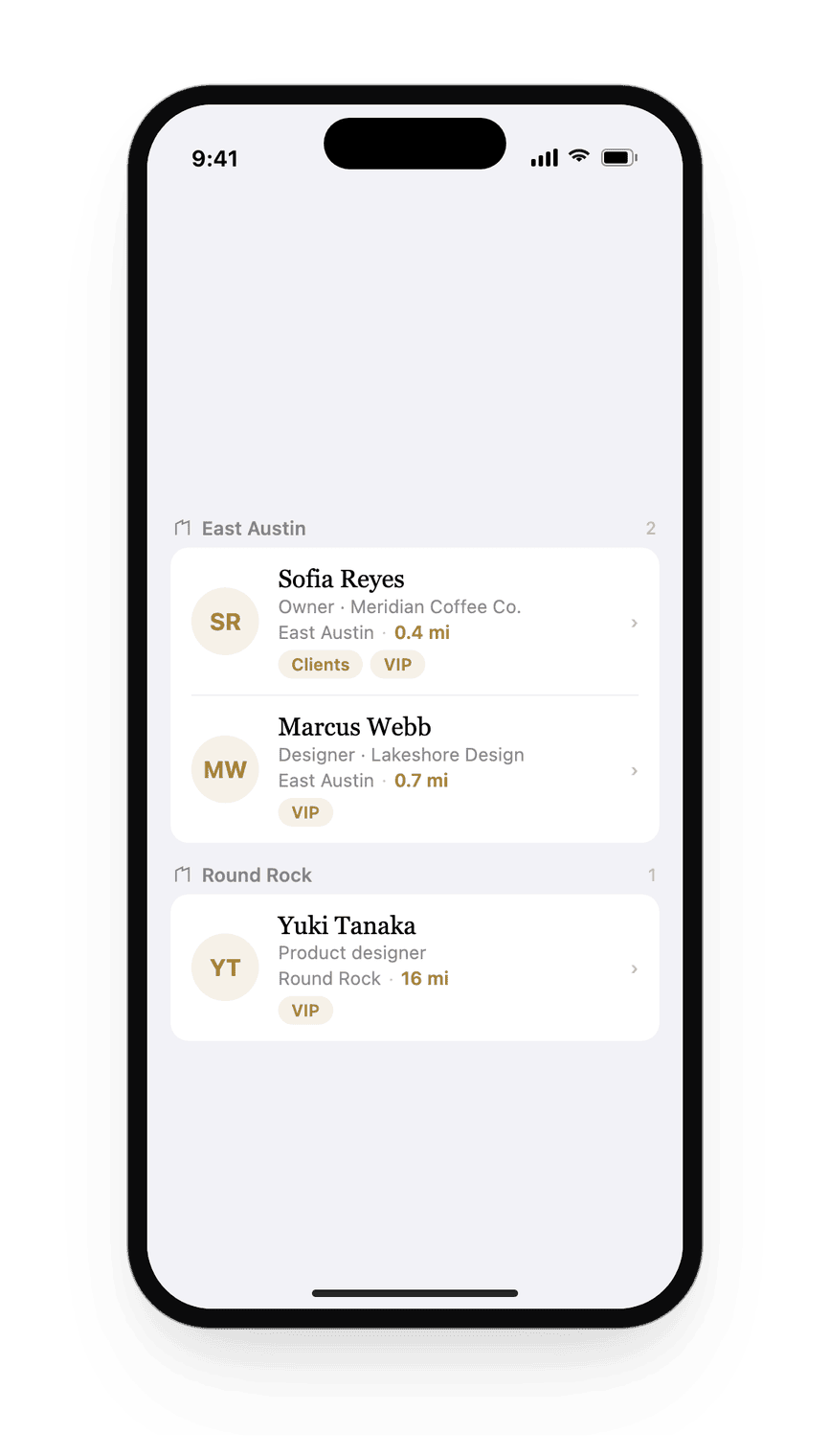
Tag contacts with your own labels, tag many at once from a select mode, and filter the Nearby list by a tag with a saved chip that sticks between launches.
Manual links between contacts
Link two people you know, with a label in your own words. Connections show on both cards, you can tap through from one friend to the next, and links ride along in your backups.
Route planning for visits
Select several nearby contacts and get an optimized multi-stop route, handed to Apple Maps to drive.
Four app icons
Gold, Ivory, Ink, or Midnight. Pick the one that suits your Home Screen.
Private by design
Your contacts are read and mapped right on your iPhone, nothing to sign into or set up; addresses are resolved to map locations through Apple's own geocoding: see the privacy policy for how.
The full vision
Everyone you already know, filtered to a call list for wherever you're going next.
MapMyContacts already does more than pin your address book to a map. Here is the fuller shape of it: five capabilities, shown here with real screens.
Trips: who I already know, before I land
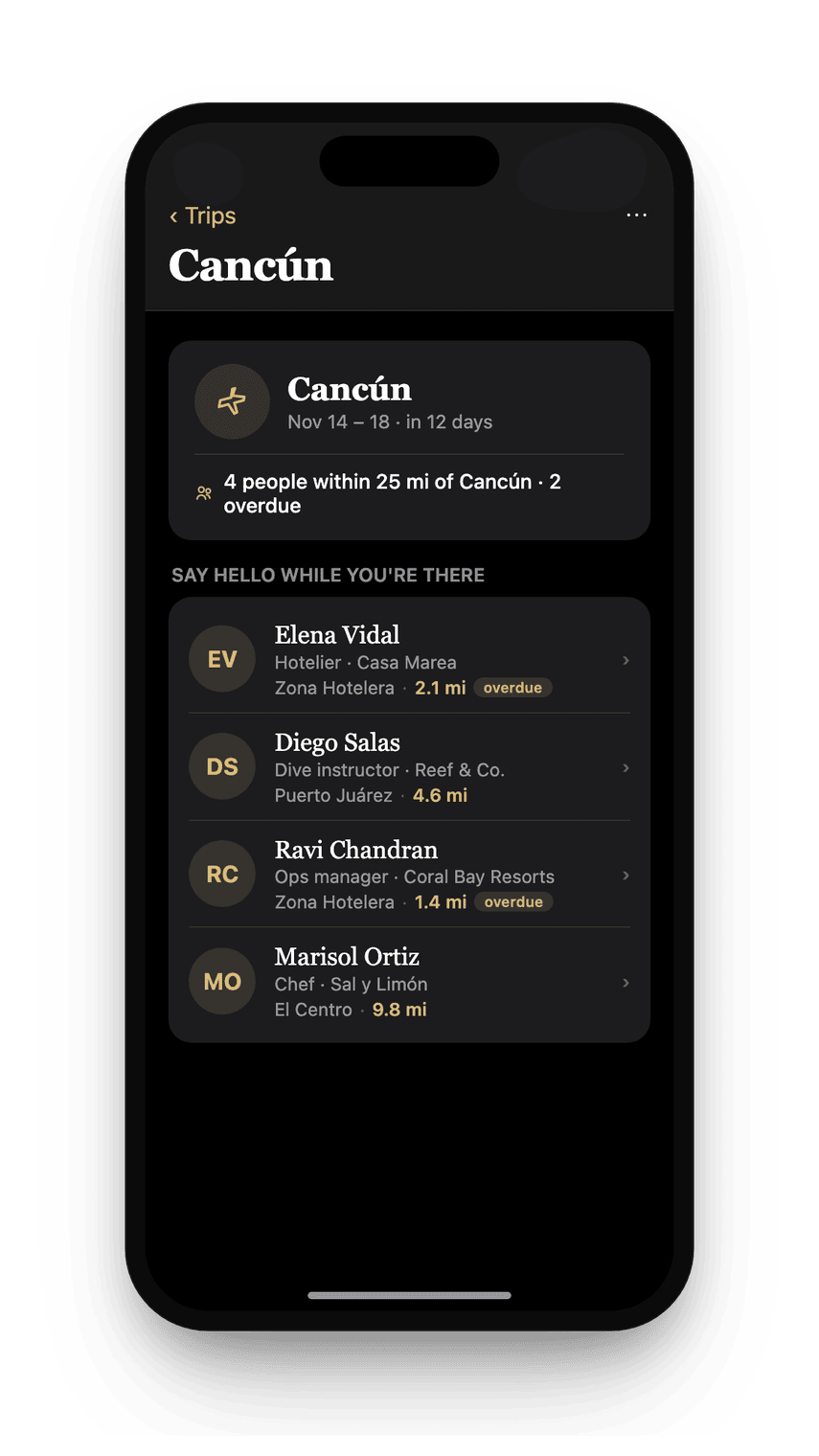
This is the actual screen, not a mockup: a trip to Cancun turned into a call list before the flight lands, two people already flagged overdue. It's the mechanic the whole vision above is built around, shipped, not promised.
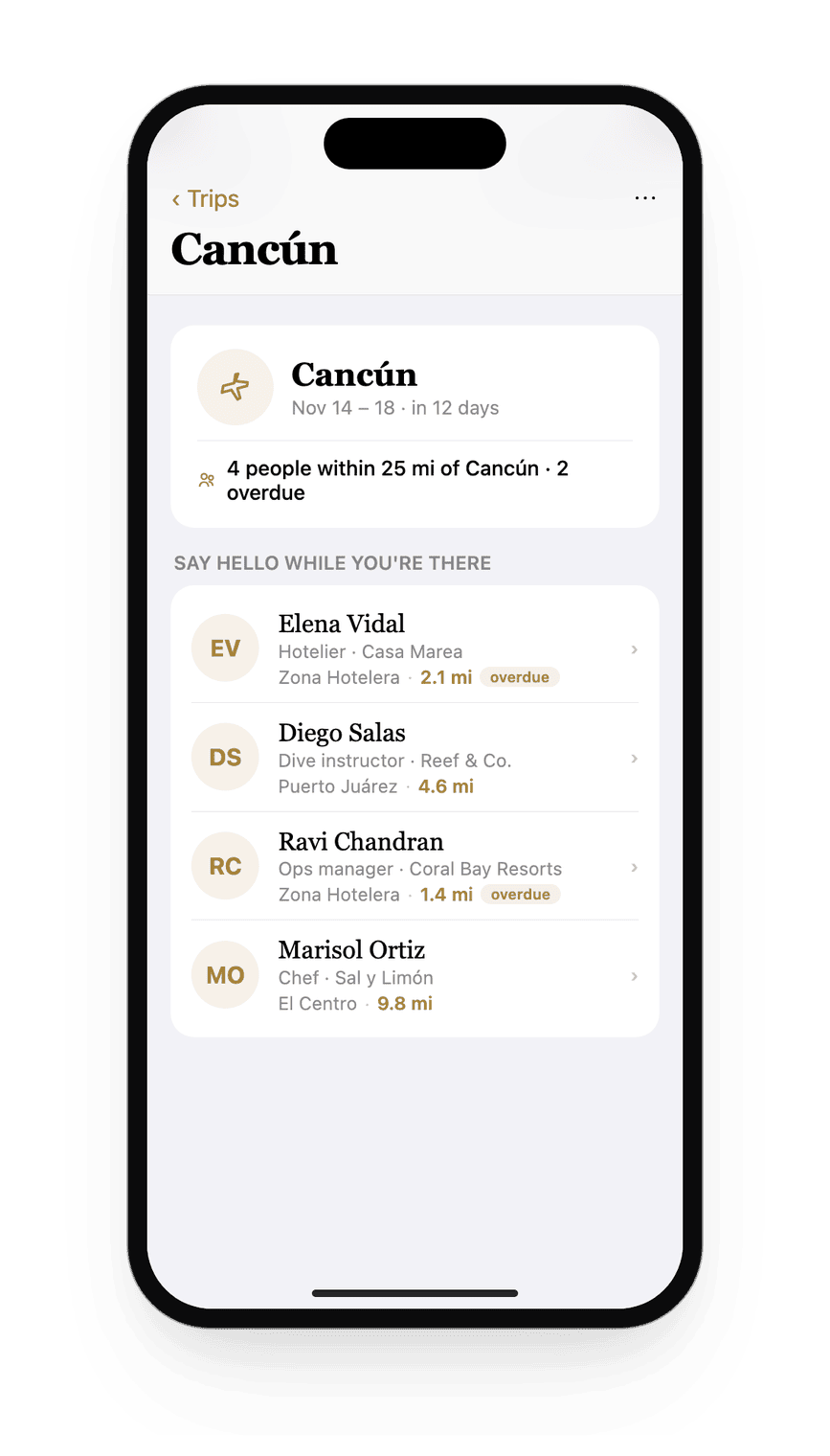
In the build since v2.25 (July 2, 2026), ahead of every named competitor in our July 2026 scan. See it in the comparison below.
Share your network, without sharing anyone
A one-tap, anonymized picture of your network: city dots and a headline count, never a name or an address, ready to share anywhere.
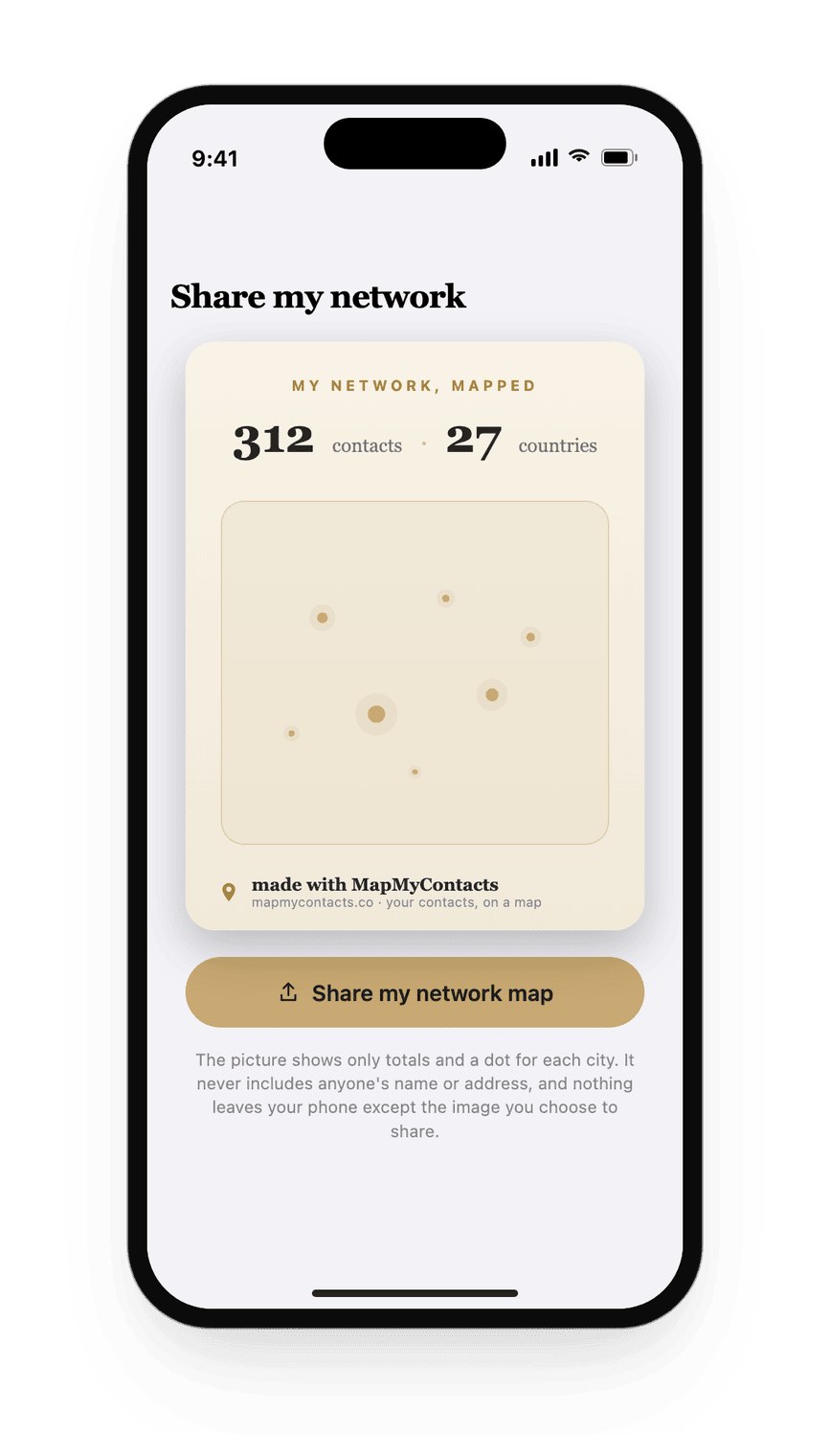
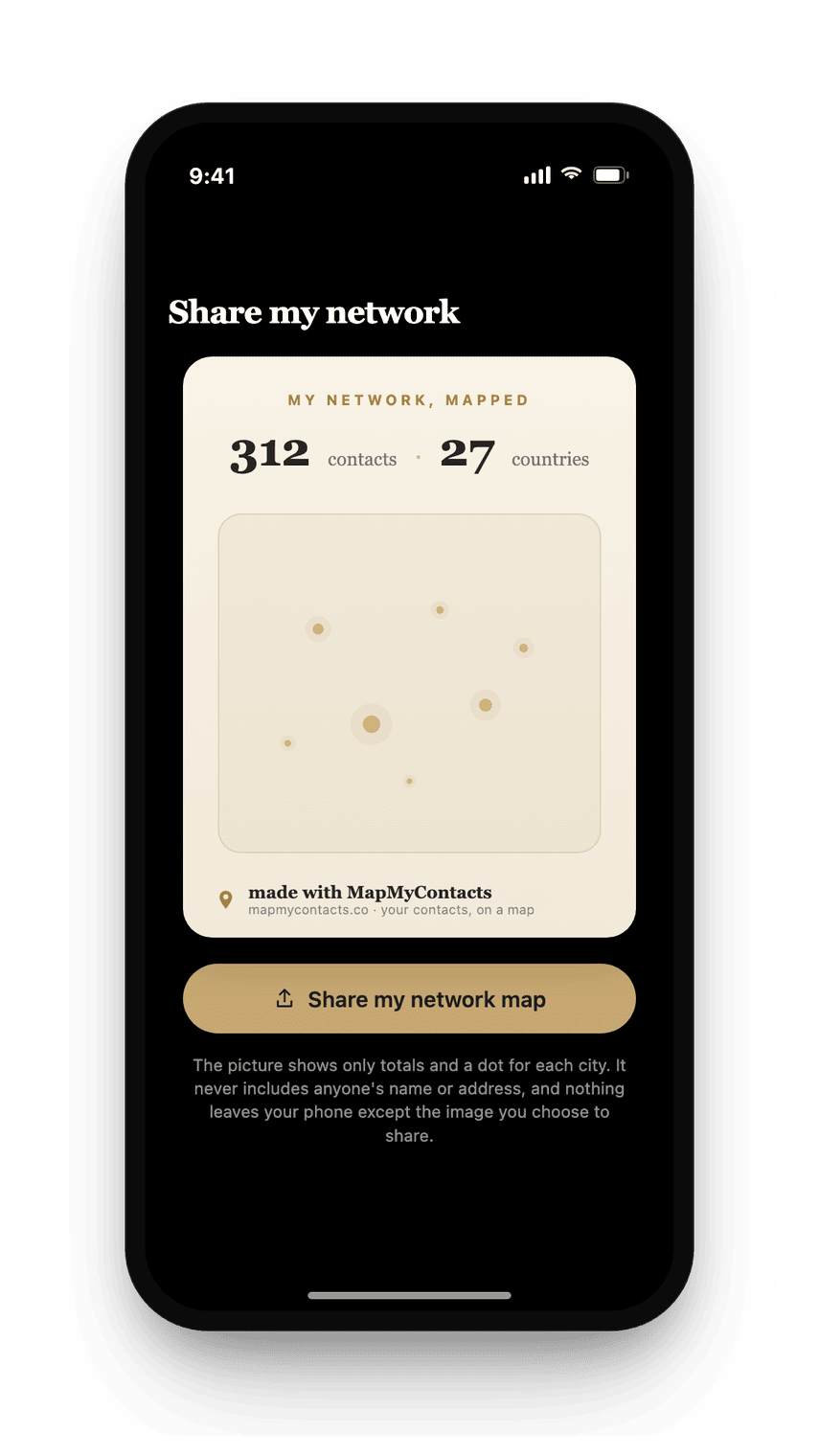
In the build since v2.26 (July 2, 2026).
Where and when we met
Pictured below is a real memory anchor on a real contact card: Casa Marea, pinned on the map, a rough month and year. The story behind a name stays attached to it instead of fading into "we met somewhere once."
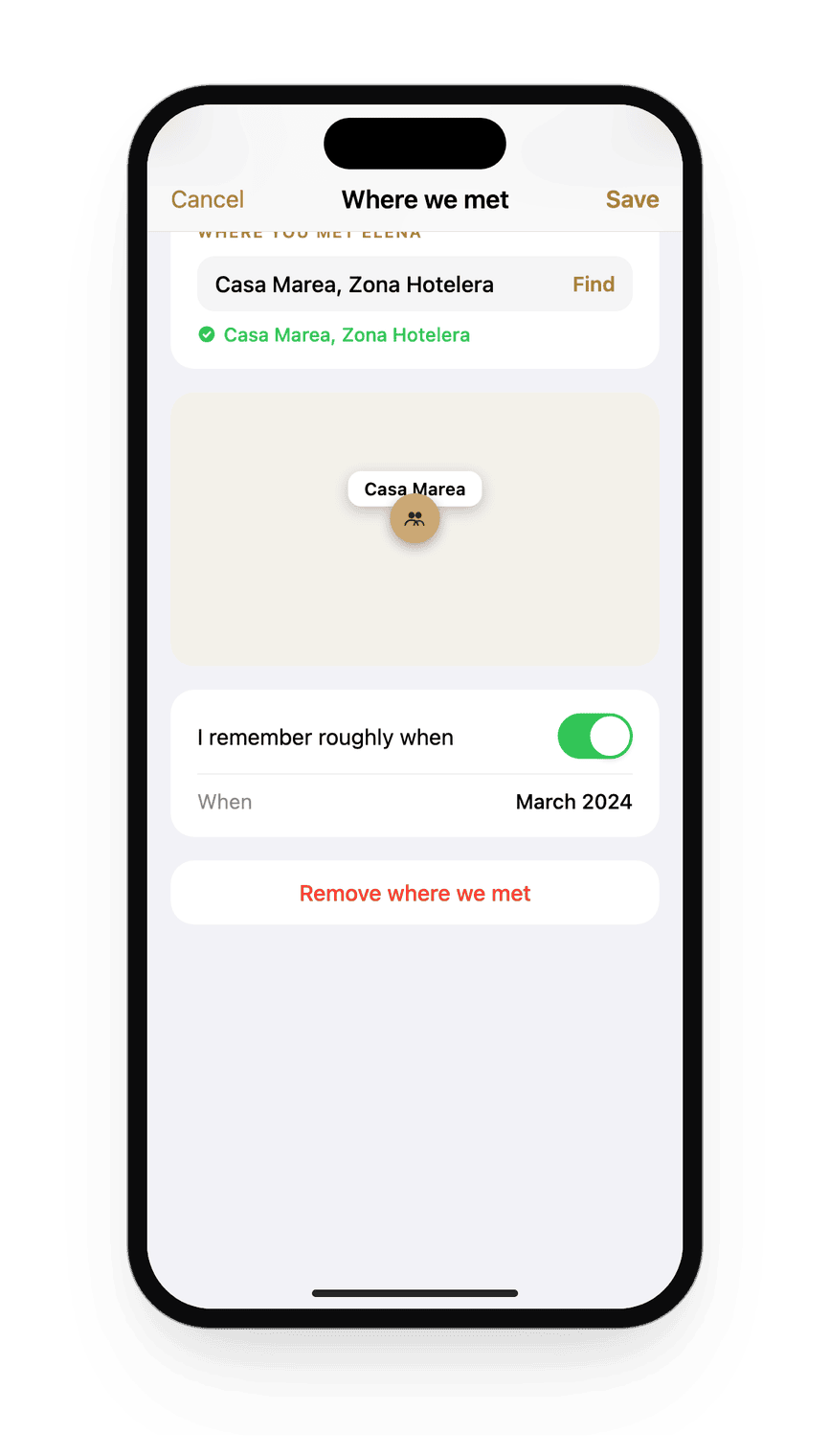
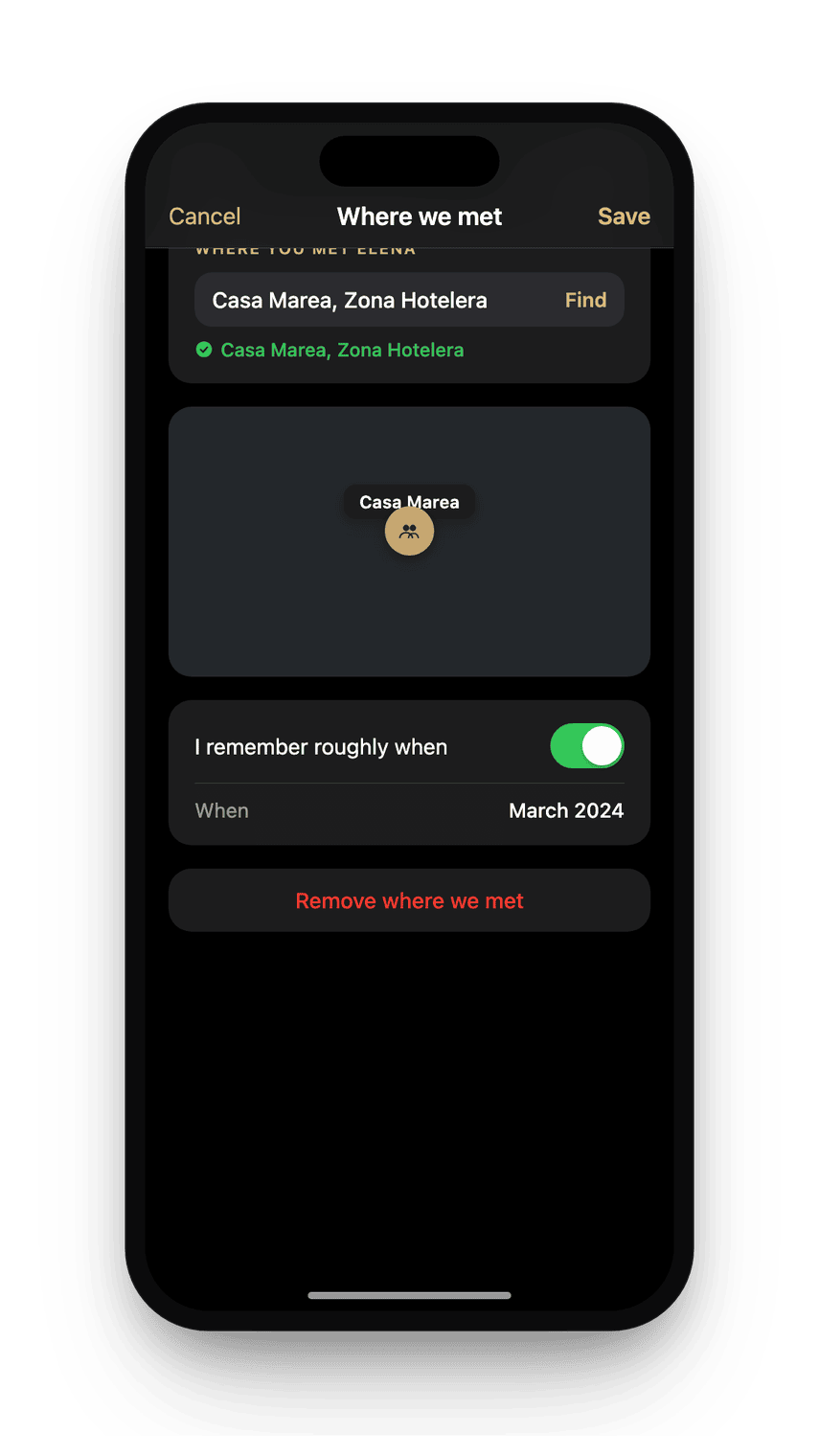
In the build since v2.25.
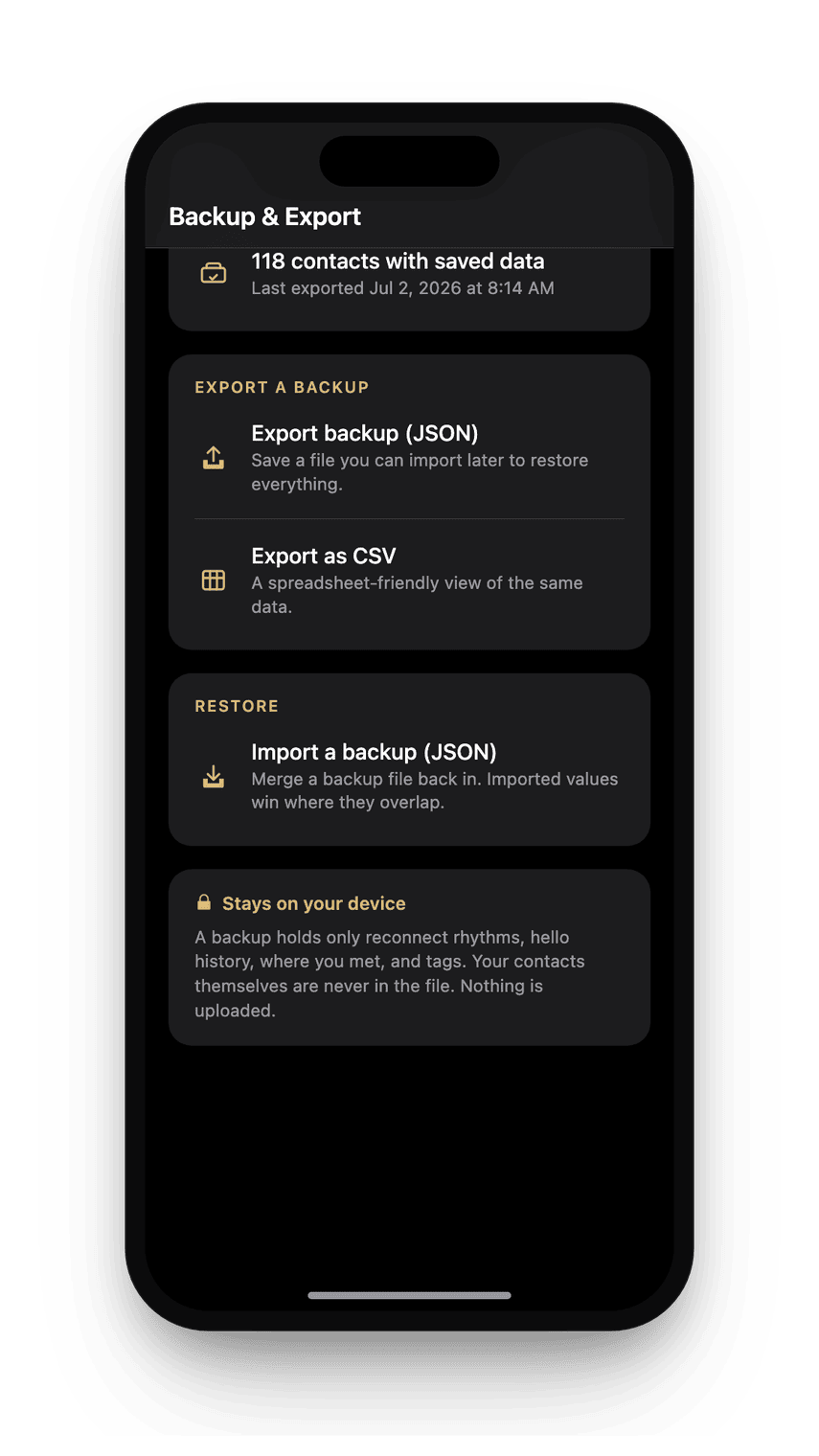
Your data, backed up right on your iPhone
This is the export sheet, not a description of one: JSON to restore the whole app exactly, CSV to open anywhere. The one thing that will never be in the file is the contacts themselves.
In the build since v2.25.
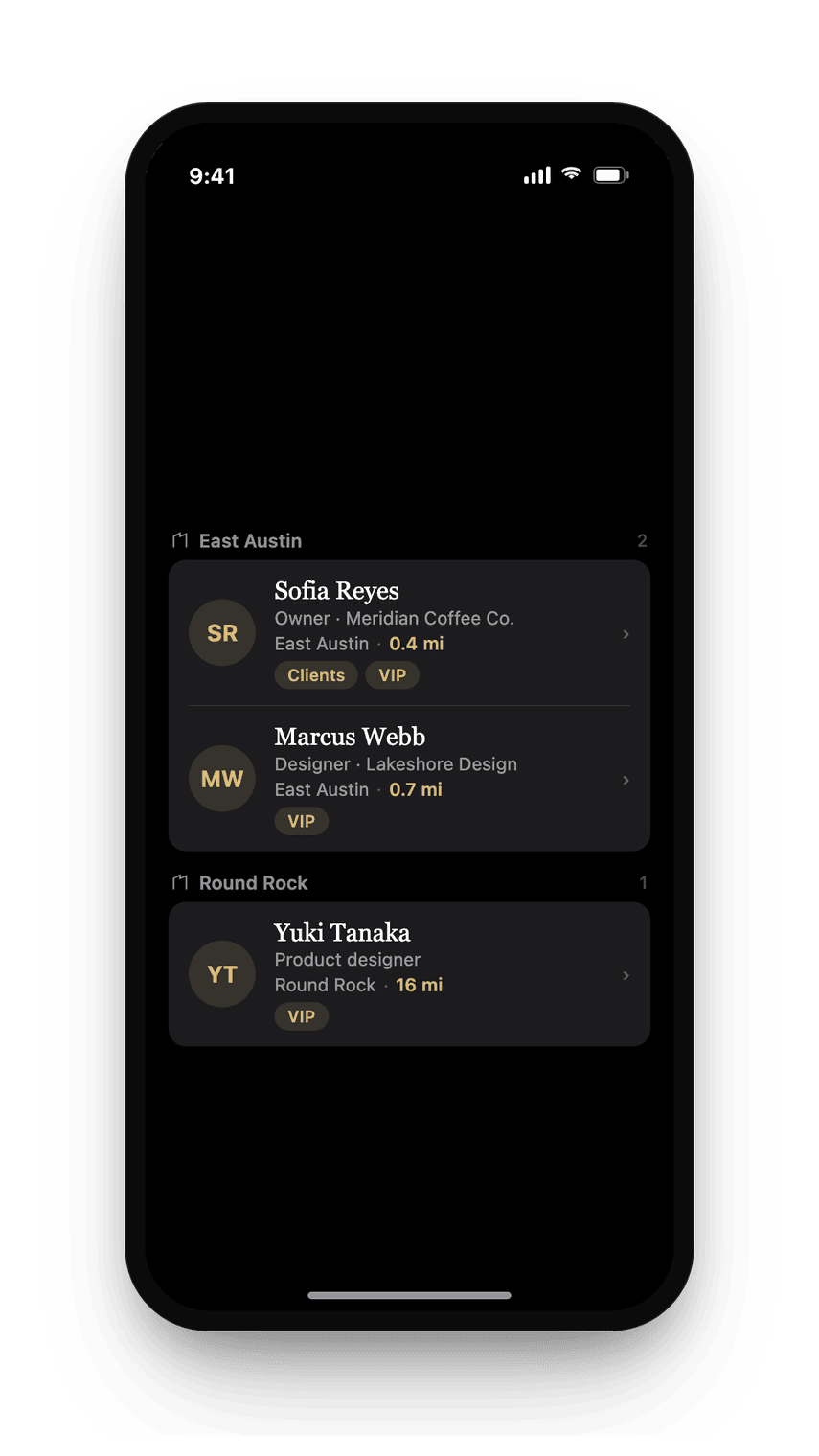
Tag them, filter by it, keep the filter
Below is a saved filter doing its job: the Nearby list narrowed to a VIP tag, exactly as it looks after you set it once. It stays set the next time you open the app, and every time after that.
In the build since v2.25.
Why MapMyContacts
One job, done properly.
Your address book already knows where everyone lives. MapMyContacts simply puts that on a map, so the next time you land in a city you can see who is nearby and catch a chance to say hello. No feed, no network, no upsell. A single, useful thing, made well.
- Private by design. Contacts are read right on your iPhone; addresses are resolved to map locations via Apple's own geocoding, never a third-party map service.
- Works in any city. Land somewhere new and instantly see who you already know nearby.
- Open it and go. Nothing to sign up for. Open it and it works.
- No ads, ever. The map is yours, not a billboard.
- Built for iPhone. A native iOS 17 app, with widgets and Siri.
How it works
Your address book becomes a map.
Two permissions to start, three more only if you opt in
Contacts give it something to plot. Location lets it sort people by distance and place you on the map. Turn on proximity nudges and it also asks for background location and notifications; pull a trip in from your calendar and it asks for calendar access. Decline any of the three and the rest of the app keeps working.
It reads your address book once
Names, phones, organizations, birthdays, and addresses, held in memory. From there, filtering, grouping, and matching happen on your phone as plain text: city, neighborhood, county, state, and the first three digits of a postal code.
Only the addresses you are looking at become coordinates
An address stays a string until you need it on a map. MapMyContacts sends it to Apple's geocoder, the same service Maps uses, then caches the result against a hash of the address so it never asks twice. An address in a city you never open is never sent anywhere.
Then it becomes a map
Pins by city and a list sorted by distance. Each card shows that person's local time, so you do not call at seven in the morning. Tap to call, message, or get directions.
Five moments
When a map of your people earns its place.
Two days in a city you rarely visit
You are there for a conference and you had forgotten three people live there. Open the map on that city and the list is sorted by how far away each one is, with a tap to message. The dinner you would never have thought to arrange takes about 40 seconds to set up.
Planning the trip, not arriving on it
Add a place and your dates, or pull the trip from your calendar, and you see who you already know near your destination before you go, most-overdue first. One reminder the morning before you leave can be the difference between meaning to say hello and doing it.
Standing in a neighborhood by accident
The optional nudge is one notification when you are near someone you know. No feed, no streak, no badge. Just the fact that you are eight minutes from a friend, which you would otherwise never have learned.
The call you keep not making
Pick a rhythm for anyone, weekly through yearly, or the looser "Soon", and tap "I said hello" when you do. The app flags who you have drifted from. It never nags and it never scores you.
Wondering whether it is a reasonable hour
Every card carries that person's local time, read from the geocode. It is a small thing that stops a well-meant call landing at six in the morning, and it is meant to be the detail that keeps the app open while you think about who to ring.
What it is allowed to see
Five permissions possible, two required.
Your contacts. Read only, and only to plot addresses, with nothing to sign into and nothing held anywhere else. Required.
Your location while you use the app. To sort by distance and place you on the map. Required.
Your location in the background and notifications, only if you turn on the nearby nudge. Decline either and every other part of the app still works.
Your calendar, only if you choose to pull a trip in automatically instead of adding one by hand.
Geocoding is the one exception to keeping everything on your phone, and it is worth stating plainly rather than glossing. Turning a street address into a point on the earth requires a lookup, and that lookup goes to Apple, exactly as it does when you type an address into Maps. So yes: something does leave the phone. Your address book stays put, and the only thing sent is an individual address you are currently looking at, to the same service your phone already uses for maps.
Compare
Side by side.
Several apps put contacts on a map. Here is how they differ, from our July 2026 scan of App Store listings and public reviews.
| MapMyContacts | Contacts on Map | Sidewalk | Contacts Map: Territory | Dex | Dextr | |
|---|---|---|---|---|---|---|
| Everyone with an address, on one map | ✓ | ✓ | ✓ | ✓ | list view, no map | relationship map, not geographic |
| A nudge when you are near someone | ✓ notification | nearby view only | - | - | - | - |
| Keep-in-touch reminders included | ✓ | - | - | - | ✓ subscription | ✓ |
| Local time and birthdays in context | ✓ | - | - | - | - | - |
| Home and Lock Screen widgets, Siri | ✓ | - | - | - | - | - |
| Reads contacts on your iPhone | ✓ | not stated | ✓ | ad-supported | cloud sync | ✓ with iCloud backup |
| Route planning for visits | ✓ | ✓ | - | - | - | - |
| Trips: who you know near a destination | ✓ | - | - | - | - | - |
| Where and when you met (memory anchor) | ✓ | - | - | - | - | ✓ events and places |
| From our July 2026 scan of App Store listings and public reviews (Dextr column re-checked 2026-07-16). A dash means not offered, not stated, or not found in that scan. Covve, once the best-known consumer app in this category, rebranded to a business-to-business (B2B) lead-capture platform in March 2026 and no longer competes for this buyer. | ||||||
On your iPhone
It comes with you.
Open the map when you land somewhere new, or just glance at the widget on your Home Screen. MapMyContacts keeps the people you know one look away, wherever the day takes you.
Questions
Good to know.
How much is it?
$14.99, paid once, no ads. For scale: building the same view by hand in a mapping tool takes roughly six to 10 hours for a few-hundred-contact address book, at about an hour per 50 addresses, and it goes stale the moment anyone moves.
Does it track me or upload my contacts?
No. MapMyContacts reads your contacts and your location on your iPhone to place pins on the map, with nothing to sign into and nothing of your address book sent anywhere.
How does it know where my contacts are?
It reads the postal addresses already saved in your contacts and turns them into map locations. Contacts without an address simply do not appear on the map.
What are proximity nudges?
An optional notification when you are near a contact, so you get a better chance to say hello. You stay in control of whether it is on.
Will it drain my battery?
No. Location is used lightly, only to show your position and sort who is nearby. There is no constant background tracking.
What if my contacts have no addresses saved?
Then there is nothing to map for those people. MapMyContacts plots what is already in your address book and never invents a location, so a contact with only a phone number stays off the map until you add an address. You may find you have more addresses saved than you expect, from years of shipping things and saving cards, and the map is often the first time you see them together.
Does it change anything in my contacts?
No. Everything MapMyContacts adds, the reconnect rhythms, the hello history, the met-at notes, and the tags, lives in the app and exports as a file you keep. Your contact cards are read and then left exactly as they were, so uninstalling it leaves your address book untouched.
How is this different from just searching my contacts by city?
Search answers a question you already thought to ask. A map answers the one you did not: you are in a city for two days and you had forgotten three people live there. The distance-sorted list, the local time on each card, and the optional nudge when you are physically near someone are all about the second kind of question.
What leaves my phone, exactly?
One thing: an individual street address, sent to Apple's geocoder so it can be turned into a point on the map, exactly as happens when you type an address into Maps. The answer is cached against a hash of the address so the same one is never sent twice, and an address in a city you never open is never sent at all. Your address book itself is never sent anywhere: MapMyContacts has nothing to sign into and nothing of yours to hold.
Which devices does it work on?
iPhone, on iOS 17 and later. It ships with Home Screen and Lock Screen widgets and Siri support.
Get MapMyContacts
Everyone you know, on a map.
$14.99, paid once.
No ads. Your contacts stay right on your iPhone.
See how it worksWant MapMyContacts on your iPhone? Ask us for it.